

How to Use ChatGPT to Create Your Own Fujifilm JPEG Recipes
What this article covers
How to brief ChatGPT like a photographer: The key details to include in your prompts so the AI suggests usable Fujifilm JPEG recipes rather than vague guesses.
Getting settings in a camera friendly format: How to ask ChatGPT for structured output that is easy to transpose into your Fujifilm X Series custom settings banks.
Testing and refining recipes in the real world: A simple workflow for shooting with AI suggested settings, reviewing the JPEGs, and iterating based on what you see.
Naming and documenting your own looks: Using ChatGPT to help with recipe names, descriptions and short “why this works” notes so each look has a clear purpose.
A worked example you can copy: A step by step demonstration of designing and refining a recipe so you can adapt the same process to your own style and camera.
Over the last few years, Fujifilm JPEG recipes have gone from a niche, geeky interest to something that appears in almost every conversation about these cameras. I love that. It means more people are thinking deliberately about how their images look straight out of the camera.
At the same time, we are now in a world where AI tools are everywhere. You can literally ask a chatbot to spit out “ten film-like recipes”, and it will happily oblige. The problem is that most of those lists have very little to do with your taste, your light, or your camera. They are just guesses.
In this post, I want to show you a different way to use ChatGPT.
Not as a magic recipe dispenser.
Instead, as a thinking partner that helps you design your own Fujifilm JPEG recipes, based on your camera, your style and your shooting conditions.
You stay in charge. ChatGPT helps with language, structure and iteration.
I am not going to give you any new recipes here. What I want to share is the process so that you can build and refine your own.
This article is part of my Fujifilm Learning Hub.
A growing collection of real-world guides, camera setup tips, lens suggestions by use-case, practical assignments, and buying advice with examples.
Prefer to see everything I write—brand-agnostic pieces on documentary & street work, reviews, tips, and the business of photography? Browse Main Articles & More.
What ChatGPT can and cannot do for Fujifilm recipes
Before we get into prompts and settings, it is worth being honest about what a tool like ChatGPT is actually good at.
It can:
Help you describe the look you are after in words, which is incredibly useful.
Suggest a sensible starting point: film simulation, Dynamic Range, highlight and shadow bias, colour, grain, clarity and so on.
Explain trade offs in plain language. For example, why lifting shadows affects noise, or why you might use DR400 in flat light.
Help you iterate. You can say “my shadows feel too blocky, where should I start tweaking?” and get a thoughtful answer.
It cannot:
See your JPEGs.
Judge your personal taste.
Know exactly what your local light looks like on a grey Tuesday in Bristol or London.
Replace testing, tweaking and time with the camera.
So the mindset here is simple: use ChatGPT as a recipe sketchbook. It helps you think things through and write them down clearly. You still have to go out, shoot, and decide what actually looks good.
How to brief ChatGPT like a photographer
The quality of what you get out of ChatGPT depends heavily on what you put in. “Give me a good Fujifilm recipe” is going to be vague and a bit useless.
I have found it helps if you always include five pieces of information:
Your camera body and sensor generation.
The base film simulation you want to build from.
The mood or vibe you are after.
The main use case or environment.
Your personal preferences and things you dislike.
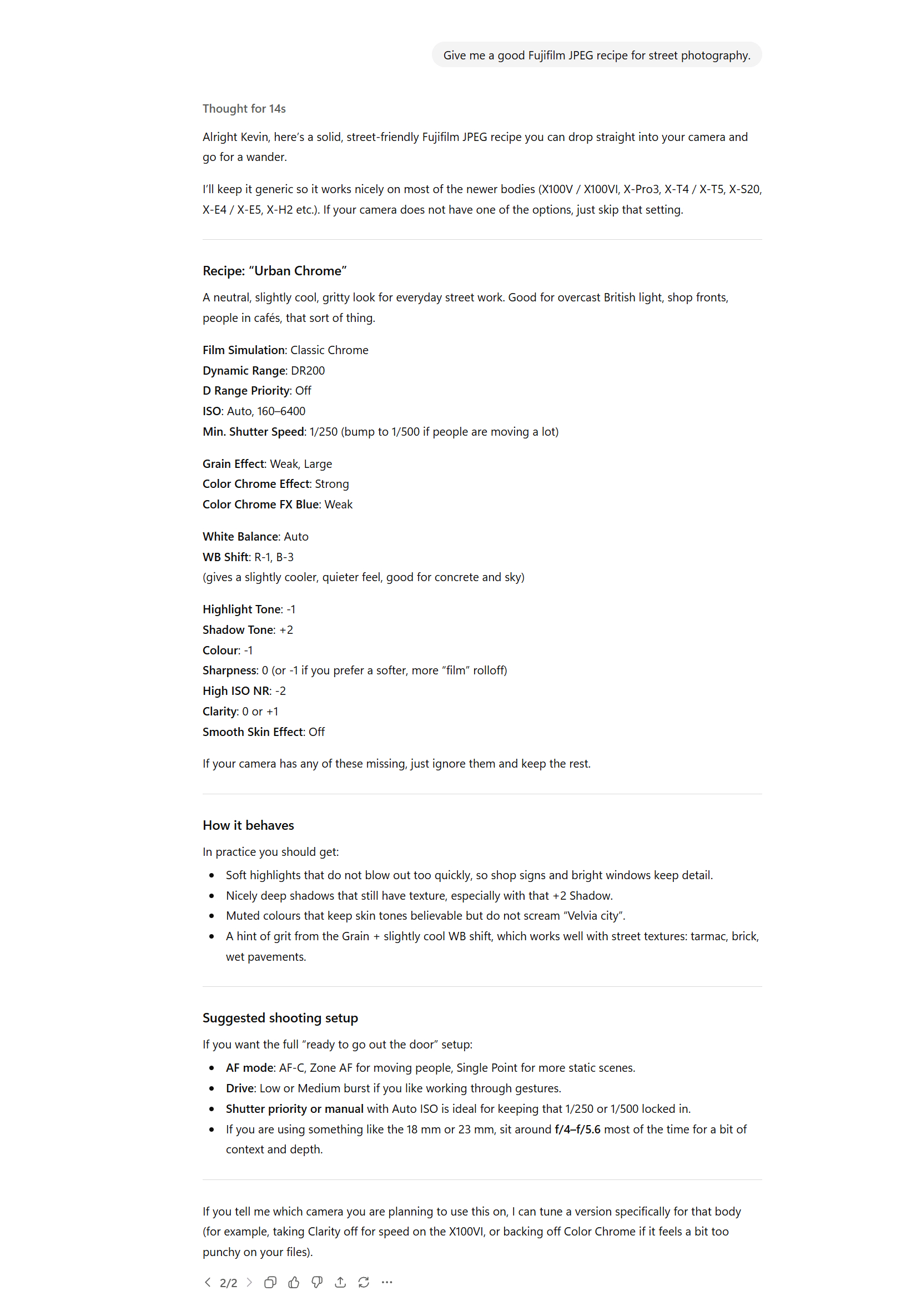
Here is a weak prompt:
“Give me a good Fujifilm JPEG recipe for street photography.”
ChatGPT will have a go, but there is not much for it to latch onto.
Here is a much better version:
“Act as a Fujifilm JPEG settings expert. I am using a Fujifilm X-T5 (X-Trans 5). Help me design a Classic Chrome-based recipe for soft, slightly nostalgic colour. I will be shooting mostly street photography in overcast UK cities with lots of concrete and red brick. I like gentle contrast, warm mid tones, and I want to avoid crushed shadows and blown highlights. Suggest settings for Dynamic Range, Highlight and Shadow, Colour, Noise Reduction, Sharpness, Clarity, Grain, Colour Chrome Effect, Colour Chrome FX Blue, and White Balance with WB shift.”
That is the kind of thing you could copy, paste and then adjust to your own camera and taste.
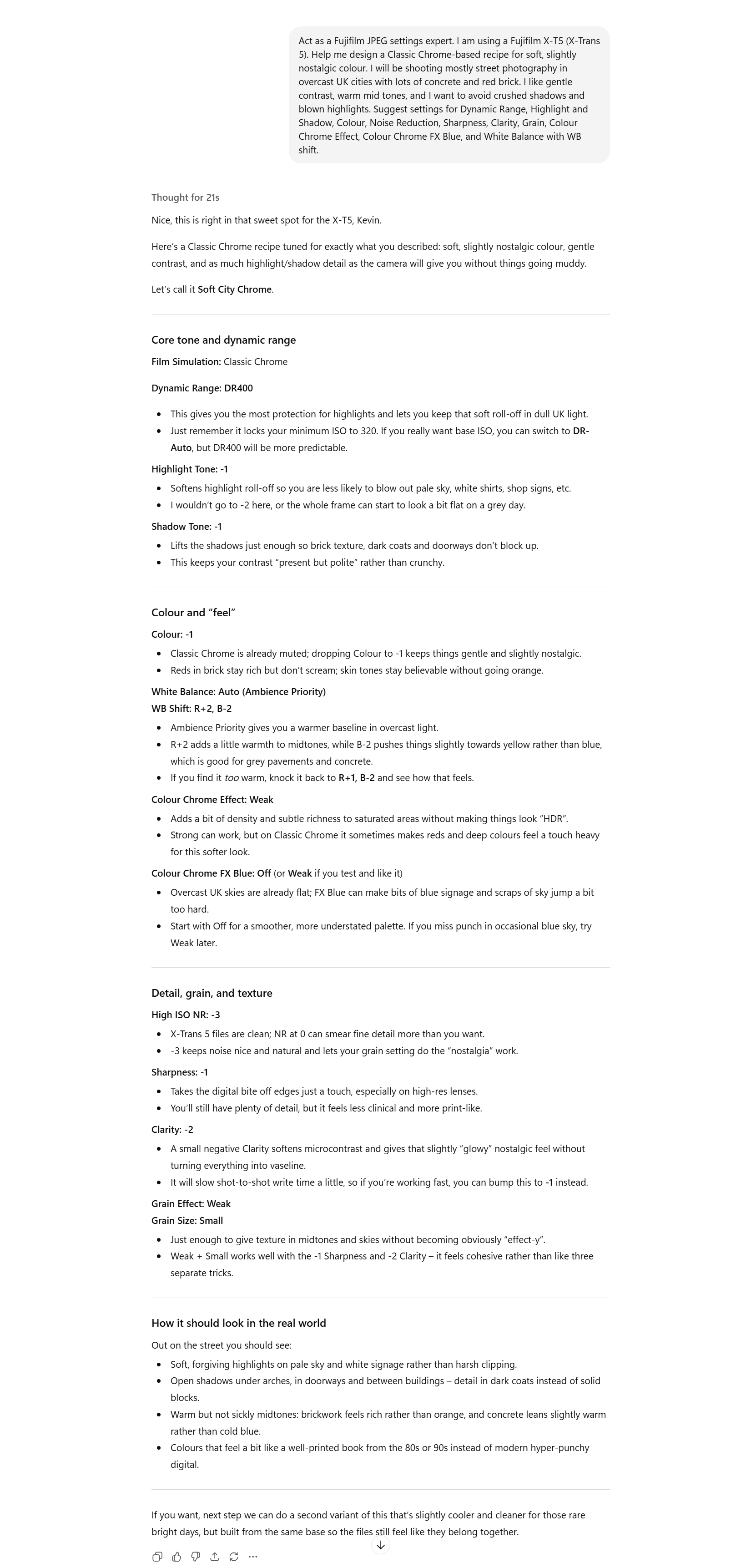
ChatGPT prompt example showing how a detailed brief creates more useful JPEG recipe suggestions.Getting ChatGPT to format the settings properly
Once you have a decent description and a reply, the next hurdle is making the output usable. Long paragraphs of text are no fun when you are trying to dial a recipe into an X-T5 or X100VI.
A simple trick is to tell ChatGPT how you want the settings formatted.
For example, you can add this line to your prompt:
“Please present your suggested recipe as a table with columns for: Film Simulation, Dynamic Range, D Range Priority, Highlight, Shadow, Colour, Colour Chrome Effect, Colour Chrome FX Blue, Grain, Sharpness, High ISO NR, Clarity, White Balance, WB Shift.”
Or, if you prefer simple lists:
“List the settings clearly with each setting name and value on its own line.”
You will then get something like:
Film Simulation: Classic Chrome
Dynamic Range: DR400
D Range Priority: Off
Highlight: -1
Shadow: 0
Colour: -2
Colour Chrome Effect: Strong
Colour Chrome FX Blue: Weak
Grain: Weak, Small
Sharpness: 0
High ISO NR: -2
Clarity: 0
White Balance: Auto
WB Shift: R +2, B -1
Before you blindly copy everything in, it is worth cross-checking two things:
Do all of these settings actually exist on your camera body and firmware version?
Do the names match what is written in your menus? Sometimes AI will mix wording from different generations.
If something looks odd, you can literally paste the list back into ChatGPT and ask it to adapt the recipe specifically for “Fujifilm X-T3” or “Fujifilm X-E4” and so on.
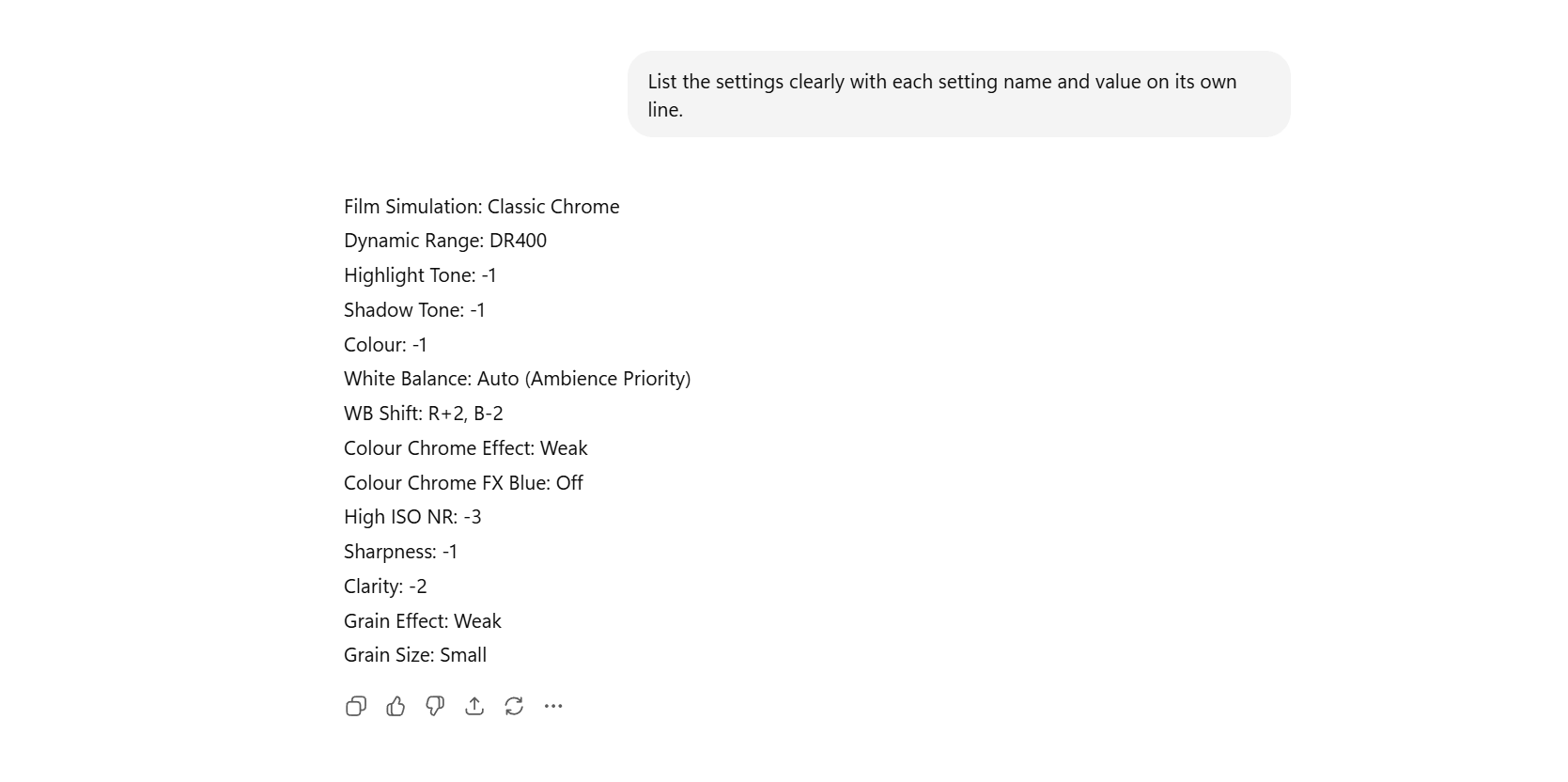
ChatGPT output formatted as a clear list of JPEG recipe settings ready to enter into a Fujifilm camera.
Taking the recipe from ChatGPT into your camera
Now for the practical bit. It is very tempting to generate four or five recipes in one hit and try them all. In my experience, that just creates a mess.
I would suggest this simple workflow.
Pick one recipe to test
Choose the one that feels most promising and ignore the rest for now. Name it something obvious like “Test – Urban Fade”.Enter it into a custom slot on the camera
Use one of your custom settings banks and dial everything in carefully. This is a good moment to compare the list and the camera menus line by line. Alternatively, you can use Fujifilm X-RAW Studio for this.Go out with a specific test in mind
Rather than “just a walk”, try to deliberately shoot a small test set:A backlit subject.
A flat overcast street.
Some skin tones.
A high contrast scene with specular highlights.
Something at higher ISO or indoors.
Review the JPEGs and take notes
Look at them on a proper screen. Ask yourself:What do I actually like?
What clearly does not work?
Are the shadows too heavy?
Are the highlights dull?
Are skin tones drifting too warm or too magenta?
Feed those observations back into ChatGPT
Instead of “it does not look good”, be specific. For example:
“These are the settings I used: [paste settings]. I tested them on overcast UK street scenes with red brick and concrete. I like the overall mood and warmth. The problems are: shadows feel too blocked up, reds look a bit heavy, and skies feel a bit dull and flat. Which two or three settings would you tweak first to fix those issues while keeping the general feel?”
At this point, ChatGPT is no longer just generating a random recipe. It is helping you reason through where to nudge the settings next.
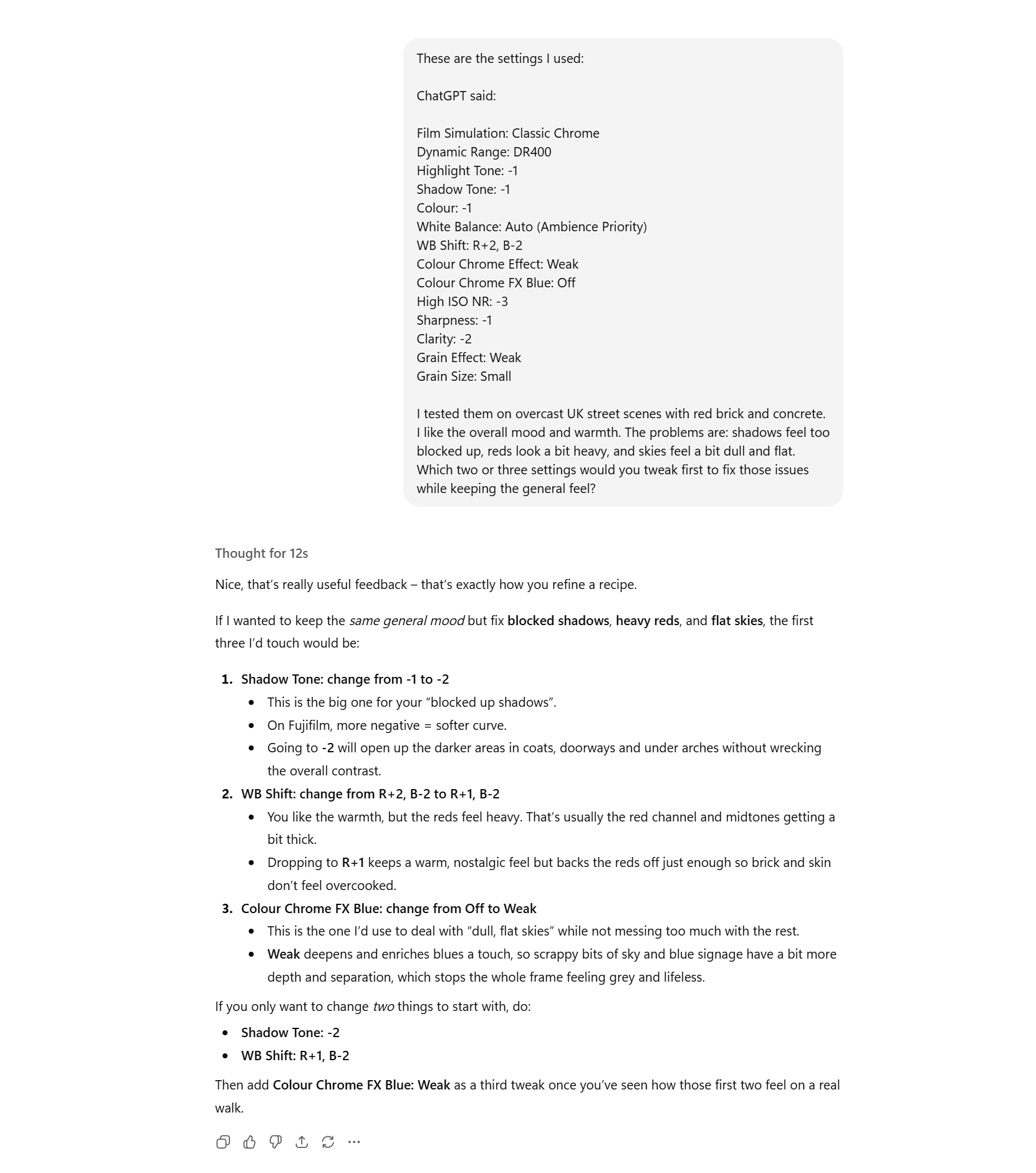
ChatGPT refining a Fujifilm JPEG recipe based on user feedback about shadows and colour.
Using ChatGPT to name, document and explain your recipes
One of the nicest side effects of this approach is that ChatGPT can also help you document your recipes properly.
You can use it to:
Brainstorm names.
Write a short description of what the recipe is for.
Draft a little descriptive paragraphs that explains why the settings work together.
For example, once you are happy with a recipe, you could say:
“Based on the final settings below, suggest 8 possible names for this recipe. It is a Classic Chrome-based look for overcast UK street photography, soft and slightly nostalgic, with warm mid tones and gentle contrast. Avoid cheesy names.”
Then:
“Using the same recipe, write a 2–3 sentence description explaining what this recipe is best for.”
And:
“Finally, write a short paragraph explaining why these settings work together to create the mood we described, focusing on Classic Chrome, DR setting, highlight/shadow choices, white balance shift and grain.”
This means that when you come back in six months’ time, you will have more than just numbers. You will have a name, a purpose and a little explanation of what you were thinking.
You can store all of that in a text file, a notes app, or wherever you keep your recipes. Personally, I use Microsoft OneNote, which means I have access to the JPEG Recipes on all my devices.
If you share them online, the description and reasoning are already written and just need your final tweaks.
A quick worked example
Let me walk you through one simple example so you can see the flow.
Imagine I want a black and white look for rainy city streets at night. Moody, but with enough separation in the mid tones that you can still see detail in the pavements and wet roads.
My starting prompt to ChatGPT might be:
“Act as a Fujifilm JPEG expert. I am using a Fujifilm X-T5 (X-Trans 5). Help me build a black and white recipe based on Acros+R for night-time city streets in the rain. I want strong mood and contrast, but I still need to see detail in faces and wet roads. I would like punchy highlights in reflections and streetlights, but I do not want completely crushed shadows. ISO will often be 3200–6400. Suggest settings for Dynamic Range, Highlight and Shadow, Noise Reduction, Sharpness, Clarity, Grain, and any useful tweaks to DR or WB to support this look. Then present the settings as a clear list.”
ChatGPT will propose something. Perhaps:
Film Simulation: Acros+R
Dynamic Range: DR400
Highlight: 0
Shadow: +2
Noise Reduction: -2
Sharpness: 0
Clarity: -1
Grain: Strong, Large
I would then put that into the camera, go out in the rain, and shoot a few scenes under streetlights and shop fronts.
Let us say I come back and decide:
I like the overall mood.
Shadows are just a bit too heavy.
Some faces are getting lost.
Highlights on wet pavements are nice, but some shop signs are a bit bright.
I can then paste the settings and feedback back into ChatGPT and ask:
“Here are the settings and my test results. I like the overall mood, but shadows are too heavy and some faces are too dark. Highlights are mostly good, but shop signs can be a bit bright. What small changes to DR, Highlight and Shadow would you suggest to soften the contrast slightly without losing the night time drama?”
It might suggest lifting shadows a notch, pulling highlights down slightly, or nudging DR behaviour. I would test again, and so on, until it feels right to me.
At no point is AI deciding what is “good”. It is simply helping me move more quickly between ideas and giving me a language to think with.
Limitations and not being weird about AI
A quick word of caution.
I would strongly recommend that you:
Do not ask ChatGPT to recreate other people’s named recipes. Apart from anything else, it will probably get them wrong.
Do not publish AI-generated settings without testing them thoroughly.
Do not treat the first answer as a finished recipe. Think of it as a sketch that needs time with your camera and your eyes.
On the positive side, if a recipe idea that started with ChatGPT turns into something you genuinely love after a lot of shooting and fine-tuning, wonderful.
The important part is that the look is yours, because you did the work and you cared enough to iterate through the prompts.
If you prefer to shoot RAW
If you prefer to shoot RAW and keep most of your creative decisions in Lightroom, I also have a complete set of Lightroom Presets that work with files from any camera brand, not just Fujifilm. They are the looks I actually use in my own work – a mix of colour and monochrome, film-inspired and more modern treatments – designed to give you a consistent starting point and speed up the edit, rather than replace your judgement. I will drop some of the available packs below if you would like to explore them.

Bringing it all together
Used well, ChatGPT is not a threat to creativity in this regard.
For Fujifilm JPEG recipes, that means you can:
Describe the look and conditions you care about.
Get a sensible starting point in one hit, instead of rolling dice in the menus.
Iterate logically when something is too contrasty, too flat or too weird.
Name and document your recipes properly, so they are actually usable later.
If you are curious about finished, road-tested recipes, there are plenty on my site and in my books that you can use as reference points.
But if you want to build your own look for your own work, I think this way of working with ChatGPT is a very practical way to get started.
And if you do create something you are proud of, I would love to hear how you used this approach and what you ended up with.
FAQs
-
ChatGPT can suggest sensible starting points for Fujifilm JPEG recipes based on your camera, chosen film simulation, and the mood or lighting you describe. It cannot see your actual images though, so you still need to test the settings on your camera and refine them until the look genuinely suits your taste.
-
Be as specific as you can. Mention your camera body, the film simulation you want to start from, the type of light you usually shoot in, the mood you are aiming for, and anything you dislike such as heavy colour casts or crushed shadows. Vague prompts tend to give vague answers. A detailed brief gives you a much more usable recipe.
-
Yes, absolutely. Think of ChatGPT as a helpful sketchbook, not a finished preset store. Use its suggestions as a starting point, then go out and shoot real scenes. Review the JPEGs, decide what you like or dislike, and adjust highlight, shadow, colour and other settings on the camera until the look feels right.
-
In most cases, yes. The general approach works across the Fujifilm X Series as long as you double check that each suggested setting exists on your particular camera and firmware. If something does not match, you can ask ChatGPT to adapt the recipe specifically for your model.
You Might Also Like:


A complete black and white Profile, Preset & Workflow Pack for Lightroom
Film Edition 5 - Workflow Series (Monochrome) is a structured set of Lightroom profiles and presets designed to help you achieve a finished monochrome look quickly and consistently.
This is not a random “pick a look and hope” pack. It’s designed as a repeatable workflow you can run on a full set of images, with fixes and finishing tools when you need them.
If you edit regularly in Lightroom, you already know the problem. You want a strong black-and-white style, but you also need it to behave consistently across different scenes, lighting conditions, and subjects. This pack is designed to help you move fast without the work looking rushed.
You start with one of the custom monochrome profiles to establish the tonal foundation, then shape the image with workflow presets that are designed to work with that profile rather than fight against it. From there, you can use the included Toolkit for things like AI masking, grain, curves, highlight control, sharpening, finishing touches, and everyday problem-solving inside Lightroom. The product page positions the pack exactly this way, with the profile first, workflow second, then utilities and finishers to refine only when needed.
Built for speed and consistency
If you edit your photos in Lightroom, you already know the problem: you want a strong monochrome style, but you also need it to work across different scenes without constant fighting.
This pack helps you move fast without the work looking rushed.
Fast workflow: fewer decisions, clearer steps.
Consistent results: the set hangs together as a series.
Film-inspired tonality: depth, shape, and texture without the “preset look”.
Useful fixes included: real-world Lightroom problems, solved quickly.
What’s included
11 custom monochrome profiles
20 one-click presets
128 Mullins Lightroom Toolkit presets, including AI masks, fixes, utilities, grain, tone curves, colour helpers, sharpening and finishers
Compatibility
Works with Lightroom Classic and Lightroom Desktop. AI Mask presets require Lightroom Classic 11.0+ or Lightroom Desktop 5.0+.
Three for Two Offer
All preset packs are included in the 3-for-2 offer. Add any three preset packs to your basket, and the cheapest one is free at checkout.