 Image 1 of 3
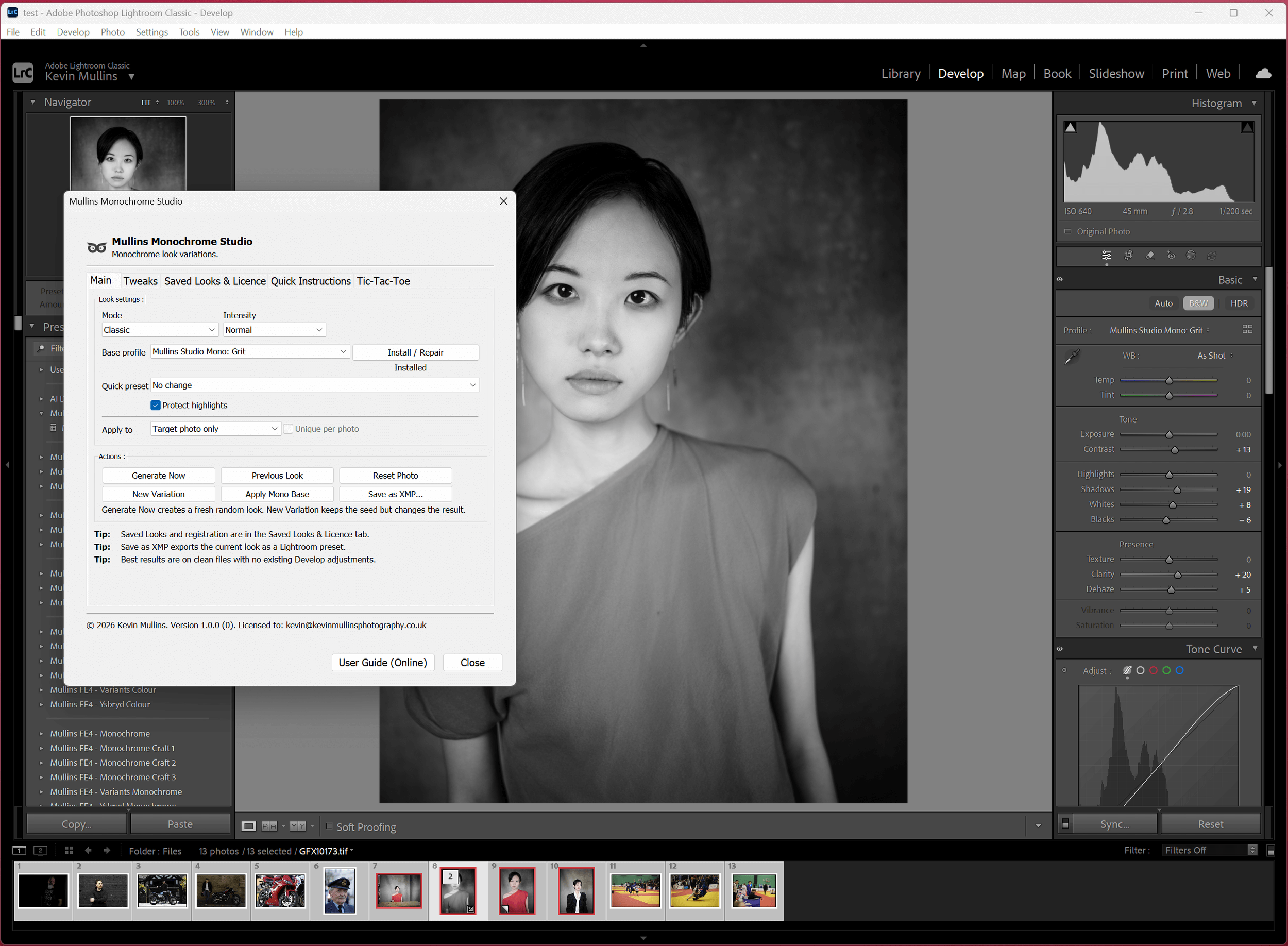 Image 2 of 3
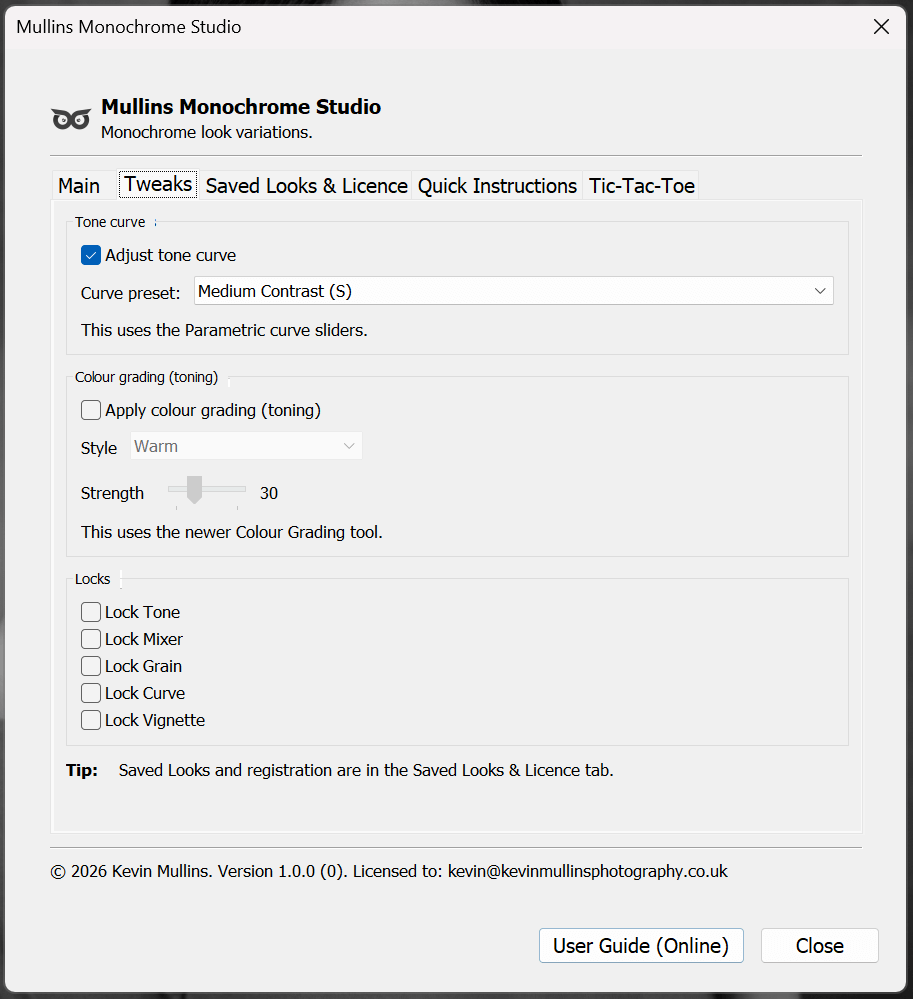 Image 3 of 3
Watch the overview video:
Infinite monochrome looks for Lightroom in seconds
Mullins Monochrome Studio is built for photographers who love black and white, but don’t want to spend their life nudging sliders. It generates strong, usable monochrome looks fast, then gives you tools to steer, refine, lock the bits you like, and save what works.
What it’s for
Hit Generate and it creates a fresh monochrome look instantly, using real Lightroom settings (so it stays completely non-destructive). You can keep it loose and exploratory, or lock the bits you like - tone, contrast, whites, blacks, grain, whatever - and let the plugin build around your choices. It’s basically a quick way to find looks you would not have dialled in manually, even if you know Lightroom inside out.
It’s designed to be fast, practical, and very usable. Save your favourite looks, reuse them later, and export them out as Lightroom Presets when you want something consistent across a set.
It runs on both Mac and Windows, and it sits neatly alongside your normal workflow rather than replacing it.
Some results will be subtle, some will be bold, and that’s the point - it keeps you moving, keeps things interesting, and helps you land on a strong monochrome style quicker.
- Generate looks quickly, then explore “families” of variations.
- Lock tone, mixer, grain, curve and vignette so you stay in control.
- Save the good stuff as Saved Looks, or export proper Lightroom presets (XMP).
It’s random, but not chaotic. The whole point is speed with guardrails.
The Lightroom Plugin allows you to create an infinite amount of monochrome looks, instantly, and you can save the 'looks' you like in the tool or as XMP Presets.
What users are saying
“This is game-changing, Kevin. I'm getting great black and whites every time and it's saving me so much 'tinkering' time.”
“Mind Blown! This is an incredible tool and you have thought it through so well. Amazing.”
“Such a great Lightroom Plugin, Kevin. You really have made a monochrome lover like me, who spends way too long tinkering with sliders, very happy. The New Variation option is addictive.”
How it works (the simple version)
Pick your direction
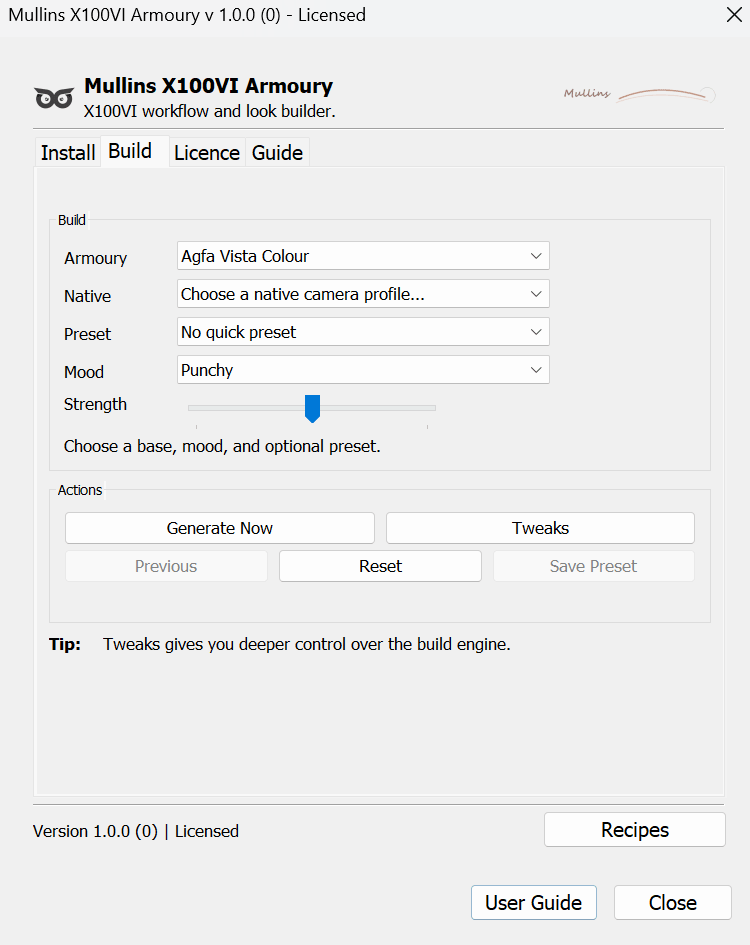
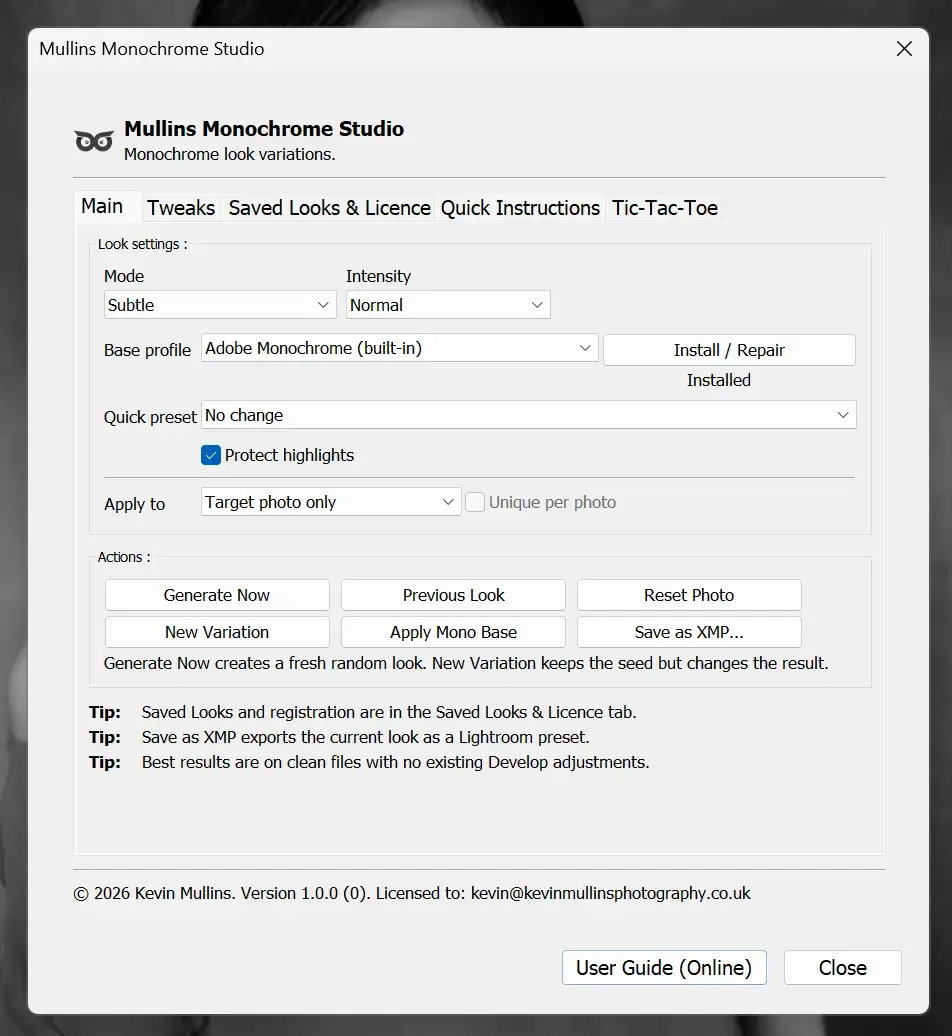
Choose Mode and Intensity, plus a base profile. Optional quick preset if you want a starting point.
Generate, then iterate
Hit Generate Now for a fresh look. Use New Variation to stay in the same “family” and explore properly.
Lock, tweak, save
Lock what you like, tweak what you must, then save it as a Look or export an XMP preset for Lightroom.
It applies Develop settings to the active photo, which is the whole point. If you’re cautious, take a Lightroom Snapshot first. It’s a good habit anyway.
Features that actually matter
Generate Now + New Variation
Fast exploration, plus a smarter way to iterate without constantly starting from scratch.
Protect highlights
A simple safety switch for skies, pale clothing, and anything where the top end matters.
Apply to Target or Selected
Work on one photo, or push looks across a selection. Optional “unique per photo” for variety.
Tweaks tab
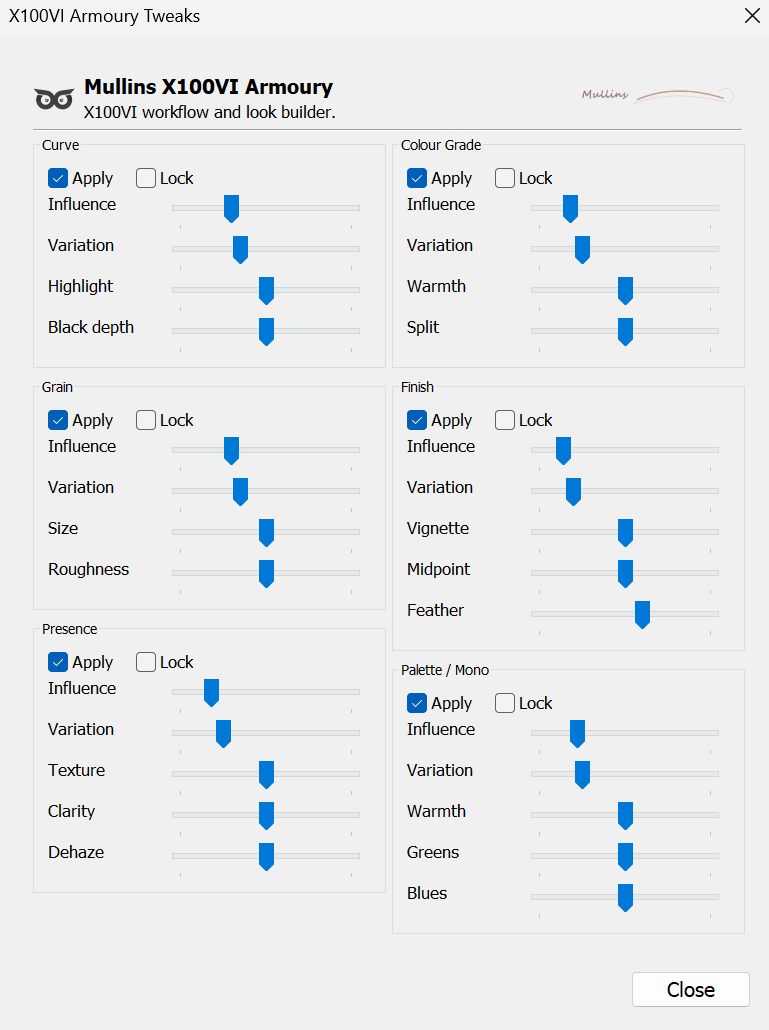
Parametric tone curve presets, optional toning via Colour Grading, and locks to keep control.
Locks
Lock Tone, Mixer, Grain, Curve, Vignette. Generate looks without wrecking the bits you already like.
Saved Looks + XMP export
Save inside the plugin for quick reuse, or export a normal Lightroom preset file (XMP) when you want portability.
Yes, it even has a Tic-Tac-Toe tab. It does absolutely nothing useful, which is sort of the point.
Before and after examples
I’d keep this section honest. Not every photo needs a dramatic transformation. Sometimes it’s just cleaner tones, nicer contrast, a better mix, and you move on with your day.


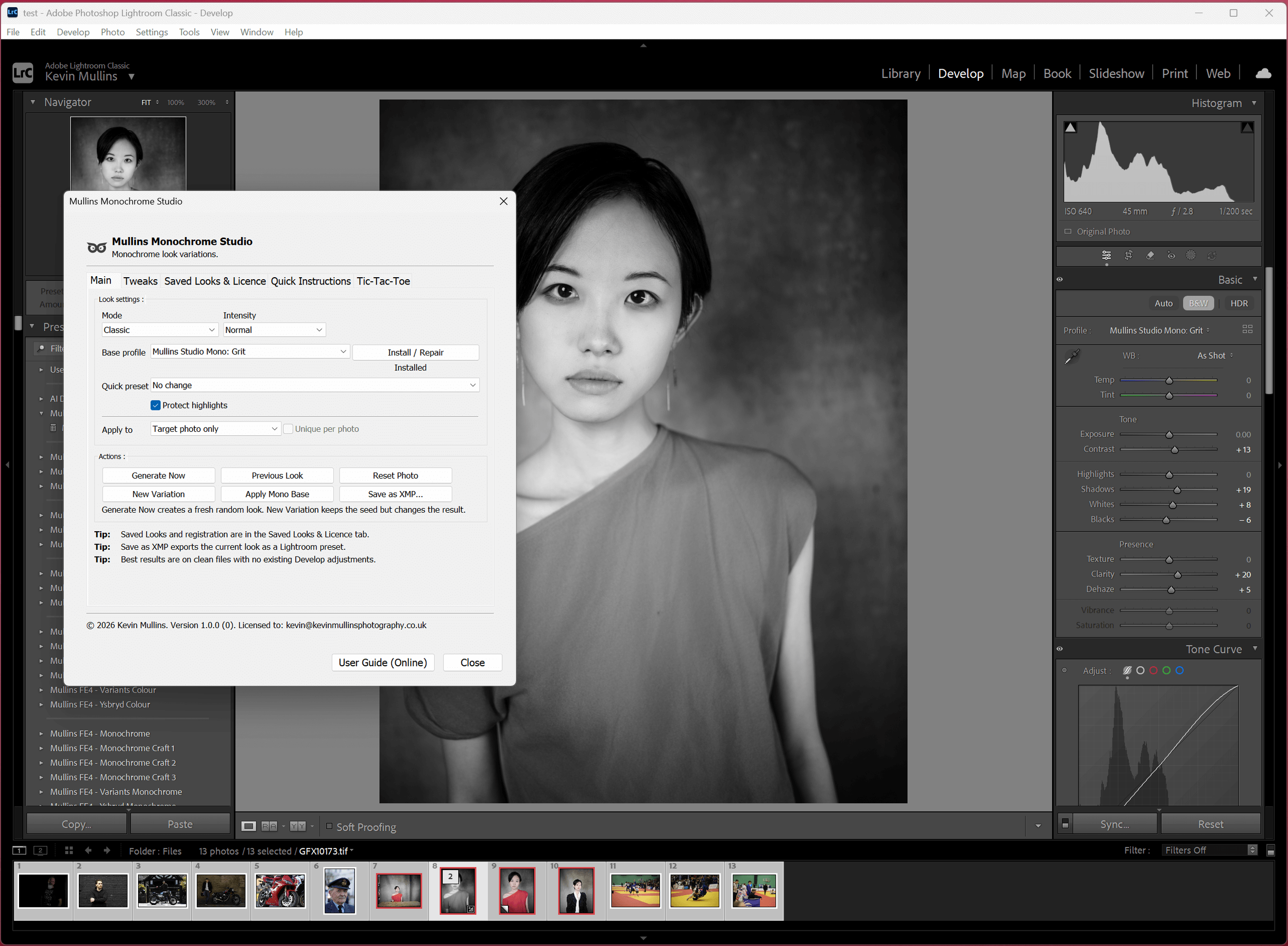
Grit Profile Selected and Generate Now Pressed. All Adjustments made to photo.

Soft Silver Profile Selected and slight warmth on Tweaks Tab.

Clean Profile Selected and High Contrast Curve in Tweaks Tab

All the defaults with Soft Roll Off Curve applied in Tweaks Tab.
Licence, delivery, and the 72-hour registration window
Delivery
- You’ll receive the plugin download as a zip file via Squarespace digital delivery.
- Your licence code arrives in a separate email.
If the licence email doesn’t arrive quickly, check spam/junk first. If it’s still missing, contact support with your order number and we’ll sort it.
Licence
- One-time Purchase (not subscription)
- Use on 2 computers
- Works on Windows & Mac with Lightroom Classic 10+
- Free updates for 1 year
- Lifetime support
Registration window
After installation, you have 72 hours to register. During that time, everything works, so you can get started immediately and deal with admin later.
Stop over-editing
Generate a strong monochrome look, refine it, save it, and get on with shooting.
If you want infinite monochrome looks for Lightroom in seconds, grab Mullins Monochrome Studio using the purchase button on this page.
FAQ
Does this work with Lightroom (cloud) or mobile?
No. This is for Lightroom Classic only.
What version of Lightroom Classic do I need?
Lightroom Classic v10.0 or newer.
Do I get one email or two after purchase?
Two. One email delivers the download zip, and a separate email contains your licence code.
How many computers can I install it on?
Your licence covers 2 computers.
Does it overwrite my edits?
It changes Develop settings on the active photo (or selected photos if you choose that). If you want a safety net, take a Lightroom Snapshot before generating.
Can I export the looks as normal Lightroom presets?
Yes. Use the Save as XMP option to export a standard preset file you can import into Lightroom.
Is it truly random?
It’s random within a controlled system. You can guide it, lock the bits you like, and iterate with New Variation to stay in a similar look.
Can I apply it to a batch?
Yes. Set Apply to: Selected photos. You can also enable unique per photo for variety.
Support
If you want to read more about this Infinite Black and White Generator Lightroom Plugin, you can read the full User Guide: