


Some are lucky, some not so.
Fujifilm X100VI Sample Images
I recently took my traditional one-day trip to the races. I usually take my X70, but this year, I decided on my Fujifilm X100VI. You can see my full review of the Fujifilm X100VI if you are interested.
A note on the editing of these photographs
All the images in this blog post are edited with my Film Edition 3 Lightroom Presets using the Tetrachrome Profile. These presets and profiles are more than slider adjustments; I’ve built them on my carefully created film-like profiles. They also include a suite of AI Utilities and lots more.
My YouTube Accompanying Video:
Fujifilm X100VI Sample Images - It’s Such Fun
I didn’t see another “normal” camera on my day at the races. Of course, hundreds of mobile phones and selfies were on show, but I thought it interesting that I didn’t spot any other small compact cameras.
I had checked before hand, and large DSLRS were banned, however, compact cameras were allowed and indeed during my body-check upon entering the chap extolled the virtues of my X100VI and said “nice to see a proper camera going in”.
I had the Fujifilm X100VI set with IBIS enabled for the full day, though, given the reasonable light, it probably wasn't needed, as you’ll see from the EXIF data.


Fujifilm X100VI Sample Images - Its all about People Watching
I really don’t care for the horse races, and certainly not for gambling. We go once a year as a “jolly boys outing,” and I had a little flutter, but I prefer to keep my saved-up money for a curry later on.
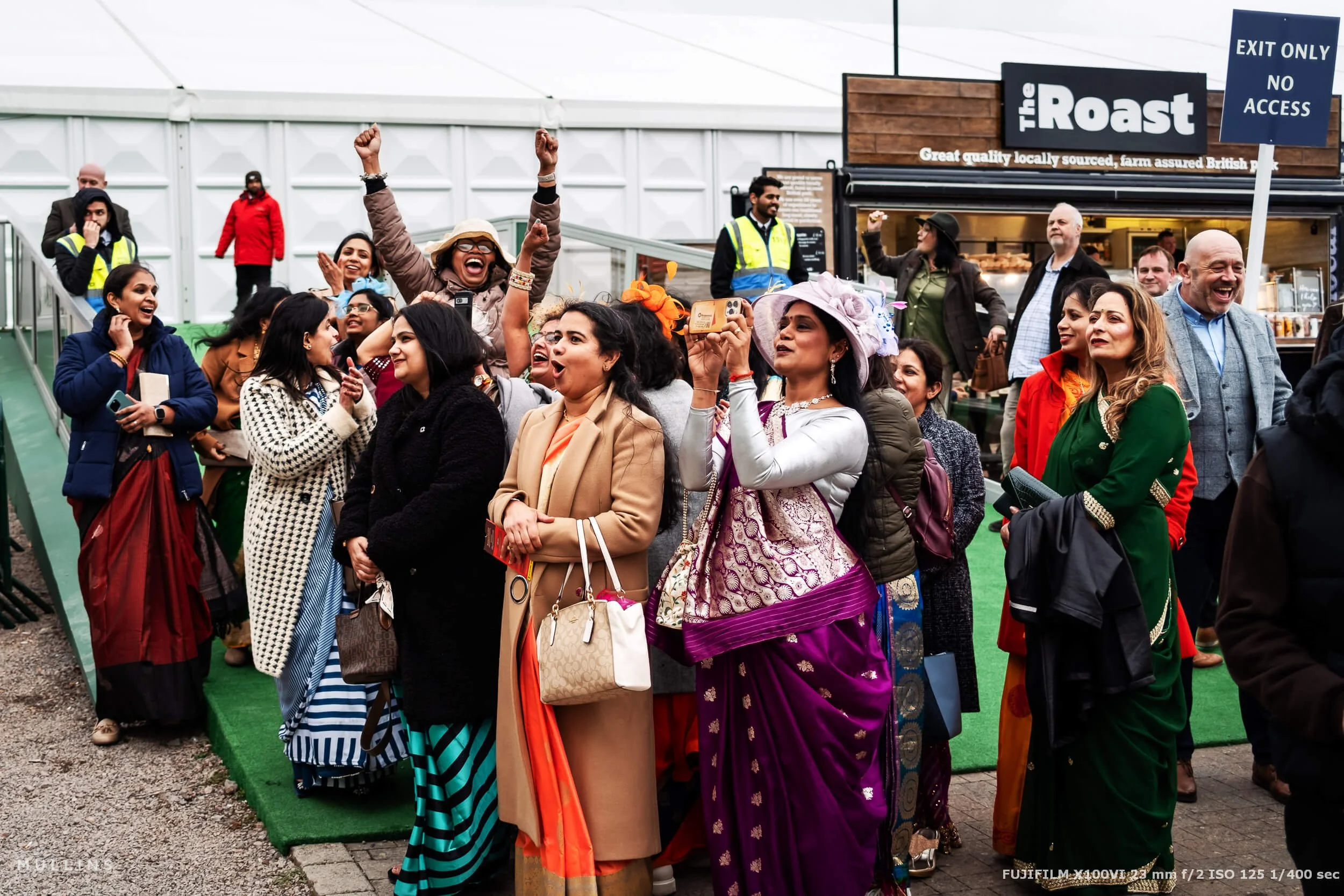
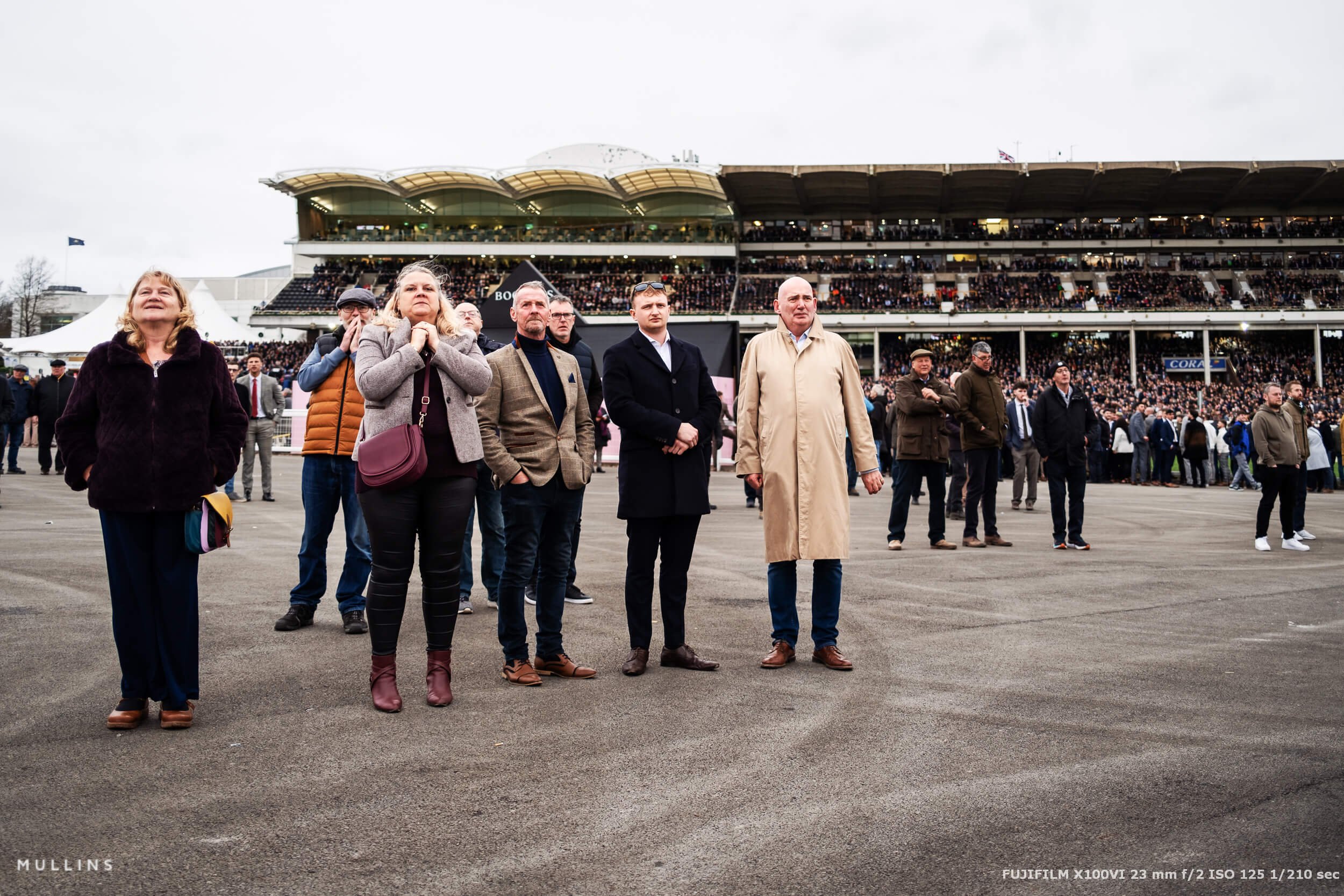
However, what I do love about this event is that I can get up close and personal and people-watch.
While I wouldn’t classify this as street photography, I do classify it as environmental, candid photography, and I love watching and photographing people in various states of happiness and despair.


My Fujifilm X100VI Book
If you're enjoying the X100VI and want to get even more from it, take a look at my Mastering the Fujifilm X100VI look book. It's a compact, practical guide filled with film simulation recipes, custom setup advice, and everyday tips to help you get the most out of the camera.
Whether you're just getting started or looking to refine your workflow, it's designed to be a useful companion you can actually keep in your bag and refer to when you're out shooting.

Fujifilm X100VI Sample Images - Battery Life
One of the concerns people have about the new Fujifilm X100VI is battery life. With the latest sensor and IBIS, would it lose some of its ability to shoot all day?
Well, I took north of 1,000 photographs on the day, with IBIS running continuously - and still came home with two bars left on my battery.
I’m told that the new processor is far more power efficient, so I was happy to go with just one battery for the whole day.


Fujifilm X100VI Sample Images - That 40.2 Mega Pixel Sensor is Great
I recently had a comment on my review post saying that I was “talking BS” by saying the new sensor offers much more detail than that found in the X100V. While everyone is entitled to their opinion, I can safely say that the statement is not “BS”.
A lot of these images are close crops, and I certainly wouldn’t have had the same latitude to crop as much with the previous camera.
I’m very much of the opinion that the X-Trans 5 Sensor offers us, photographers, much more detail, both in dynamic range and pixels to play with.


Fujifilm X100VI Sample Images - Pocketability
Much like the reason I’ve taken the X70 to previous race meetings, the X100VI fit perfectly into my coat pocket. I didn’t use a strap or wrist grip, as I just wanted to grab it when I felt there was something interesting to photograph.
In my left pocket, I had the Fujifilm X100VI, and in my right, my pocket money that I was saving for my curry later on :-)




Fujifilm X100VI Sample Images - What is next for my camera?
Well, it’s going back to Fujifilm.
This was a loan copy, as they wanted me to create some images for the launch campaign. I’ll be very sad to see it go. However, I, like many others, am on the pre-order waiting list, and when mine is in stock, I’ll be buying it just like everyone else.
And I can’t wait—it’s such a great camera to use.


Fujifilm X100VI Sample Images - In Summary
Well, mostly, this post is to give you some more images to look at (and promote my Lightroom Presets :-) )
I don’t need to go over everything I covered in my review, but in summary, the Fujifilm X100VI is a great camera and a big upgrade from the X100V.
But, as I always say, just because a new one is released doesn’t mean the previous one becomes bad. If you have an X100V (or T, S, F, for that matter) and it does what you need it to, then stick with it.
However, I know the IBIS will be useful in low light, and I love the new 40.2 Mega Pixel Sensor's extra versatility.



My Talk at The Photography Show 2024
I’ll be giving a talk at the 2024 Photography Show in Birmingham this coming Monday (18th March 2024). You can find details of my talk here. If you come along, please say hello.

A complete black and white Profile, Preset & Workflow Pack for Lightroom
Film Edition 5 - Workflow Series (Monochrome) is a structured set of Lightroom profiles and presets designed to help you achieve a finished monochrome look quickly and consistently.
This is not a random “pick a look and hope” pack. It’s designed as a repeatable workflow you can run on a full set of images, with fixes and finishing tools when you need them.
If you edit regularly in Lightroom, you already know the problem. You want a strong black-and-white style, but you also need it to behave consistently across different scenes, lighting conditions, and subjects. This pack is designed to help you move fast without the work looking rushed.
You start with one of the custom monochrome profiles to establish the tonal foundation, then shape the image with workflow presets that are designed to work with that profile rather than fight against it. From there, you can use the included Toolkit for things like AI masking, grain, curves, highlight control, sharpening, finishing touches, and everyday problem-solving inside Lightroom. The product page positions the pack exactly this way, with the profile first, workflow second, then utilities and finishers to refine only when needed.
Built for speed and consistency
If you edit your photos in Lightroom, you already know the problem: you want a strong monochrome style, but you also need it to work across different scenes without constant fighting.
This pack helps you move fast without the work looking rushed.
Fast workflow: fewer decisions, clearer steps.
Consistent results: the set hangs together as a series.
Film-inspired tonality: depth, shape, and texture without the “preset look”.
Useful fixes included: real-world Lightroom problems, solved quickly.
What’s included
11 custom monochrome profiles
20 one-click presets
128 Mullins Lightroom Toolkit presets, including AI masks, fixes, utilities, grain, tone curves, colour helpers, sharpening and finishers
Compatibility
Works with Lightroom Classic and Lightroom Desktop. AI Mask presets require Lightroom Classic 11.0+ or Lightroom Desktop 5.0+.
Three for Two Offer
All preset packs are included in the 3-for-2 offer. Add any three preset packs to your basket, and the cheapest one is free at checkout.