

Fujifilm X-E5 Sample Photos – And Mini Review
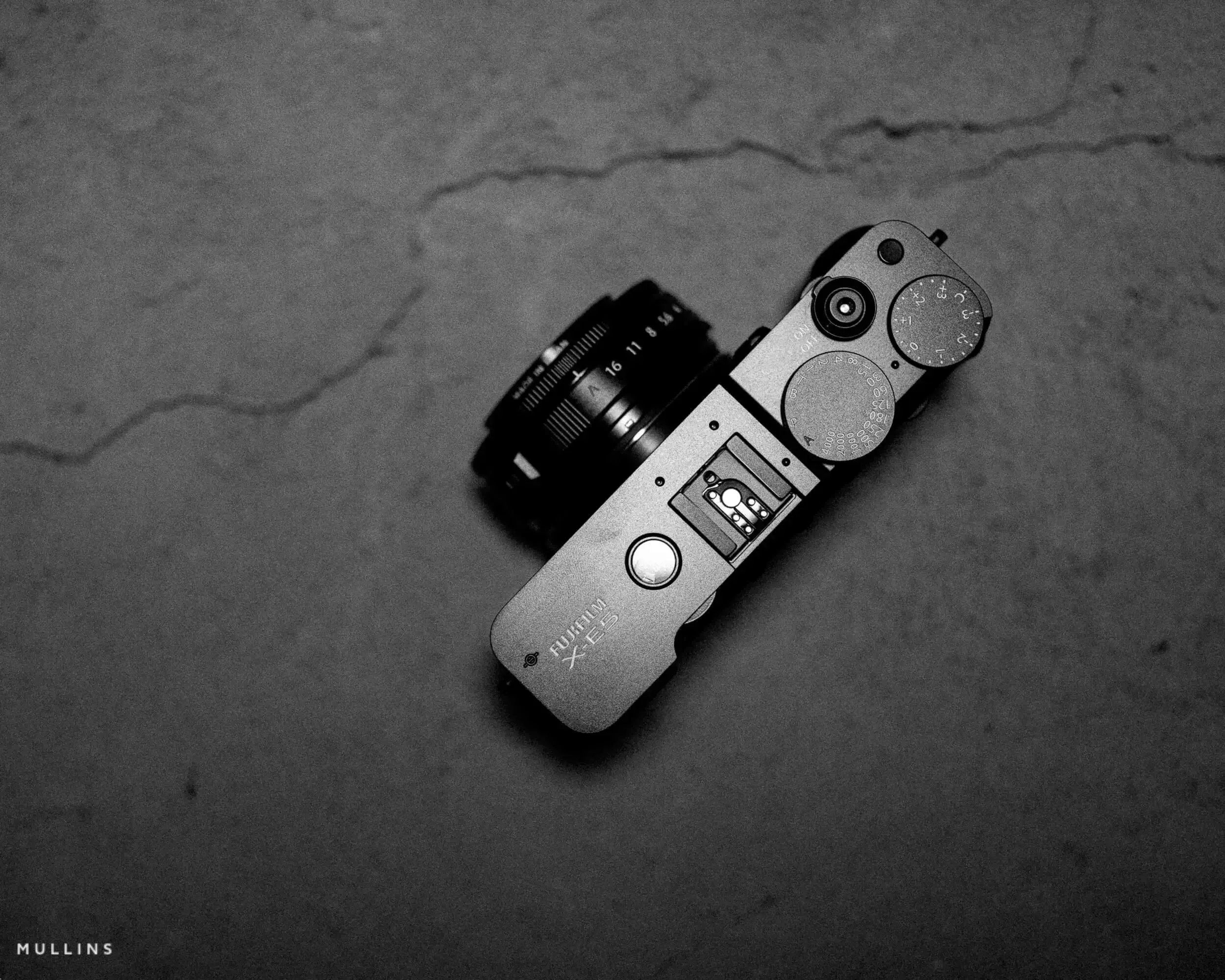
Fujifilm X-E5 sample photos and mini review.
This article brings together real-world Fujifilm X-E5 sample photos from several different days, along with a short, mini review based on how the camera behaves in normal use. It is not full review or deep technical breakdown, more a look at what the X-E5 is like to live with and photograph real life with.
What I cover in this post
First impressions of the Fujifilm X-E5 in use
The XF 23mm f/2.8 R WR pancake lens
Autofocus, performance and day-to-day handling
The Film Simulation dial in practice
Retro EVF overlay thoughts
How I would set up the X-E5 for everyday shooting
How these images were edited and which presets I used
A selection of Fujifilm X-E5 sample photos
First Impressions: Fujifilm X-E5 & 23mm f/2.8 Pancake Lens
I have used the Fujifilm X-E5 across a few different little slices of life now. Some early frames of my daughter schooling her pony, a couple of walks, and some other moments where I would usually reach for a small camera.
Fujifilm’s X-E line has always had that understated charm. Rangefinder style, compact, not trying too hard. The X-E5 continues that tradition, but it feels a bit more sure of itself. It is lighter than it looks, but it still feels like a “real” camera rather than a gadget.
The main takeaway is that I stopped thinking about the body quite quickly. It sounds dull, but that is usually a good sign. I was paying attention to light, expression and timing, not constantly fighting with buttons or menus.
The First Session – Ponies, Patience & Pancake Glass
I used the X-E5 in the brief time I had it on loan, photographing my daughter while she was schooling her pony, Lilly.
There’s something about photographing familiar, slower-paced moments that gives you a better sense of a camera’s ability. You’re not rushing. You’re just observing. And this camera really suits that.
A note on the new XF 23mm f/2.8 Lens
The new XF 23mm f/2.8 held up beautifully. It’s incredibly small – truly pocketable, especially on a body as slim as the X-E5. It’s weather-resistant, too.
Autofocus is snappy and quiet, and image quality... well, it’s sharp. That’s pretty much all you need to know.
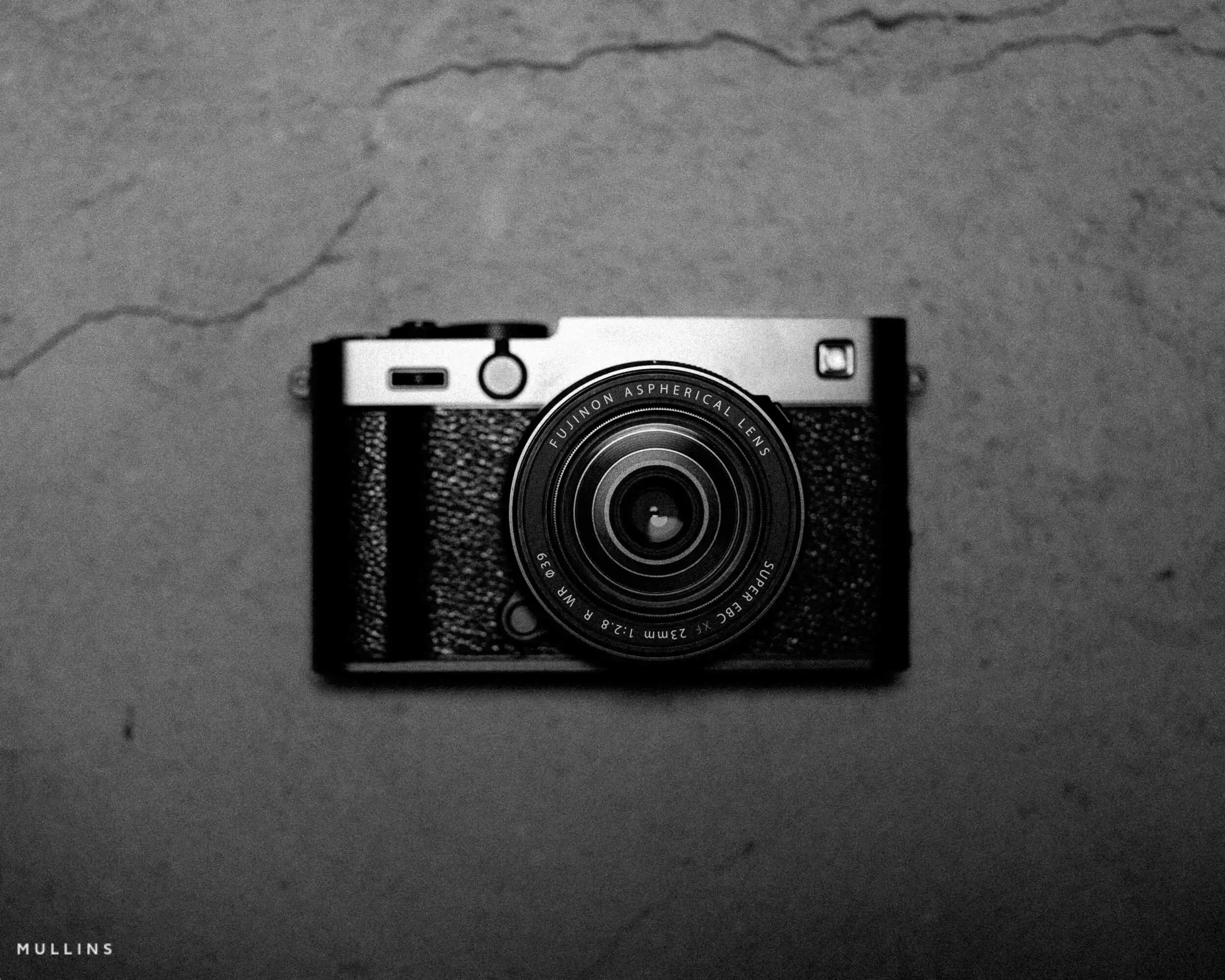
A lot of my time with the X-E5 has been with the XF 23mm f/2.8 R WR pancake lens attached. On this body, that lens makes a lot of sense.
The 23mm focal length, roughly 35mm in full frame terms, is about as classic as it gets. It is a natural fit for street photography, travel, family life and general wandering about.
The f/2.8 aperture will not give you razor thin depth of field, but that is not really the point here. The point is that the lens is small, quick and weather resistant. It is the sort of lens you leave on the camera and forget about, which usually means you actually take the camera out with you.
In my earlier session with my daughter and her pony, the lens handled everything from wider context shots to slightly tighter moments of her adjusting tack or patting Lilly between exercises. In later days, it did perfectly well for street style frames and general day to day family photographs.
Autofocus with this combination is snappy and quiet, and the files are sharp without feeling clinical.
Some of the images below, are taken on this new lens, and some taken on The Viltrox AF75mm F1.2 Lens. The latter images were taken on various other lenses.
Autofocus, performance and usability
Focusing on the things that matter in everyday use:
The autofocus is quick and confident in good light, and pretty capable in lower light too. I have used face and eye detection with people and horses, and once set correctly it behaved as you would hope.
Subject detection is not magic, but it removes friction in situations where you are following faces around a frame.
The camera wakes quickly and does not feel sluggish from shot to shot. I stayed in single shot drive mode most of the time, but it can rattle through bursts if you need it.
The X-E5 is not aimed at sports professionals and it does not pretend to be. For the kind of work shown in this post, it feels more than fast enough.
That New Film Simulation Dial
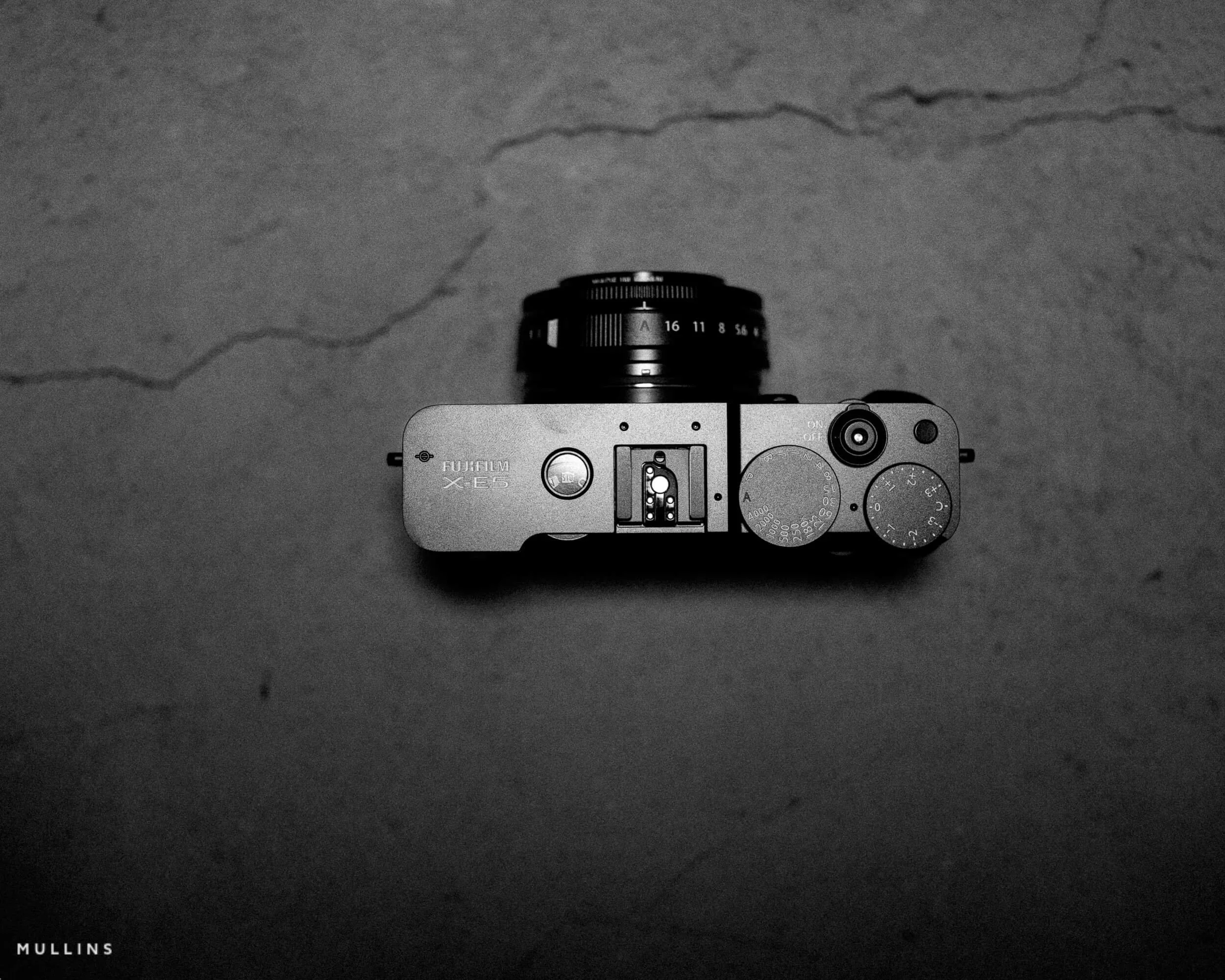
One of the big talking points of the X-E5 is the dedicated Film Simulation dial.
At first glance it might come across as a bit of a novelty. In use, it is more useful than it looks, particularly once you assign your own Fujifilm custom recipes to it.
For the first time on an X-Series camera, being able to load a custom film simulation and flick between them without touching a menu changes how you work in the field. It turns the camera into something you respond with rather than something you keep programming.
On the X-E5 I can move between those with a quick turn of the dial. Photographing my daughter riding, then later walking through town or photographing quieter scenes at home, it meant I did not have to break concentration or dig into menus.
If you already use custom film simulation recipes, this dial is the bit that ties them more closely into how you actually shoot.
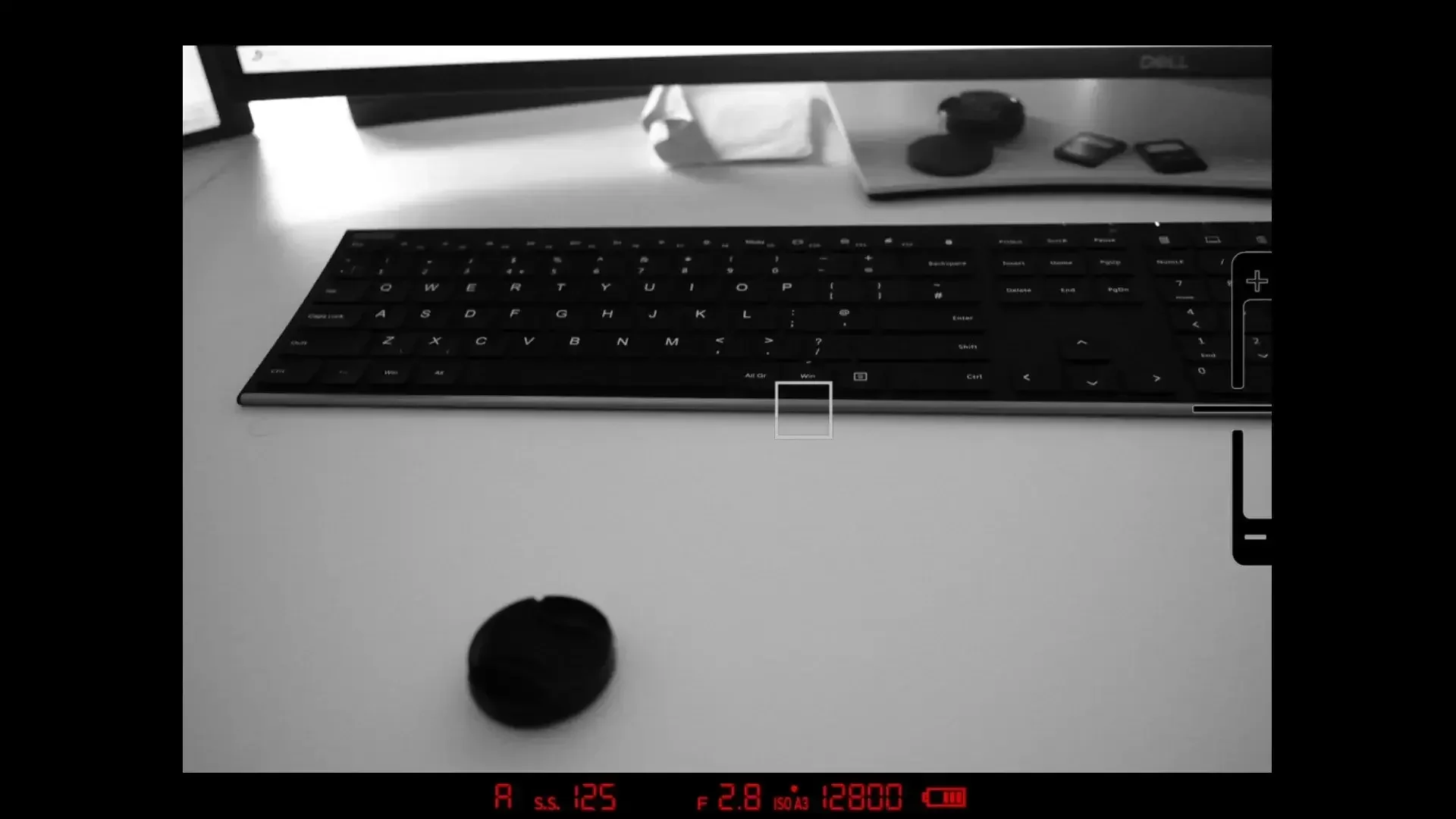
That retro EVF overlay
The viewfinder deserves a small mention on its own.
You do not get the hybrid optical and electronic viewfinder found on the X-Pro line, but you do get a new retro-style overlay in the EVF. It is essentially a visual frame that nods to classic rangefinder cameras.
Functionally, the EVF is clear and responsive. You can see your exposure preview, film simulation, focus peaking and all of the usual Fujifilm overlays.
The retro frame is mostly about feel, but I ended up leaving it on. It makes the process of looking through the camera feel a bit more tactile and a bit less like staring at a tiny television, which I quite like.
Handling and Build
The X-E5 does not have a big grip. It is a small, flat bodied camera. With the pancake lens, it is very easy to carry all day without thinking about it.
A few practical notes:
It sits nicely in the hand. If you like a larger grip, a small accessory grip would probably make it even better.
The shutter sound is quiet but deliberate. It is not a loud clack, but it is not a digitised electronic tick either. Small detail, but I really like it.
Battery life has felt decent in the time I have had it. It uses the familiar NP-W126S battery so there are no surprises there.
Overall, it feels like something you could take on holiday, into town or to a family gathering without it drawing attention to itself.
How I would set up the X-E5 for everyday shooting
Because I see this camera as a walk around, everyday body, I kept my setup fairly straightforward. If you have just bought one and want a starting point, this is how I would approach it.
AF mode and subject detection: I tend to sit in single point AF most of the time, turning on face and eye detection when I know I will be following people around a frame. For horses and people together you may need to experiment a little, but the system is capable.
Drive and shutter settings: Single shot for most situations. I like choosing one frame rather than machine gunning everything. A low speed continuous burst is there if you want a bit of extra safety on fast moving sequences.
Film Simulation dial: Load the dial with looks you genuinely use. For me that is usually:
Neutral colour for everyday scenes.
A slightly contrasty colour option for stronger light.
A gentle monochrome recipe for quiet moments.
JPEG starting points: Even if I am working with RAW files, I like my JPEGs to look reasonable:
Classic Chrome or Pro Neg based recipes for colour.
Acros based recipes for black and white.
Buttons and ergonomics: Give yourself quick ways to:
Change ISO without coming away from the finder.
Adjust focus type and subject detection.
Access the Film Simulation dial positions you actually use.
All of this is personal preference. It is simply a practical setup that keeps the camera out of the way and lets you concentrate on the moment.
A Note About the Editing of These Photographs
All of the images in this post have been lightly edited in Lightroom using my own Film Edition presets. If you like the look of these X-E5 files and want to get something similar straight out of your own RAWs, you can use the same presets I used here
I’ve built these presets over time, mainly to speed up my workflow and give me a consistent look. Some lean towards muted tones, others bring a bit more contrast or warmth depending on the light and subject. For this set, I mostly stuck to the more neutral colour looks, with the occasional soft monochrome thrown in.

Fujifillm X-E5 Sample Images
These images were all made with the Fujifilm X-E5 across a few sessions. Some are from the early days photographing my daughter and her pony. Others are from later shoots.





All Images Edited with: Mullins Film Lightroom Presets
Who the X-E5 is for, in my opinion
This is not a full technical review, but after using the X-E5 in the real world, a few things are clear.
It is a very good fit if:
You want a compact camera that does not feel like a toy.
You enjoy working with prime lenses, particularly something like the 23mm f/2.8 or a small 35 mm equivalent.
You like the idea of film simulation recipes and want a practical way to use them without menu diving.
You value feel and experience as much as pure specification lists.
It is probably less ideal if you mainly shoot fast sports or need the absolute top level autofocus tracking all the time. That is not really what this camera is designed for.
For me, the X-E5 sits in a sweet spot between size, capability and character. It made me want to go out and make photographs, which is usually the most important test.
If I spend more time with it or use it on other types of work, I may return with a bigger review later.
Fujifilm Workshops with Kevin Mullins
If you shoot with Fujifilm and you enjoy these kinds of real world thoughts and sample images, you might like my in person workshops.
I run a variety of photography workshops, some of them aimed specifically at Fujifilm users. We look at light, composition and moment, and how to get the most from the cameras you already own rather than endlessly chasing new gear.
FAQ
-
Yes. The compact body and the 23mm f/2.8 pancake make a discreet, quick combo, and the film simulation dial lets you switch looks quickly without menu diving.
-
You can assign your own custom film simulation recipes to the dial and switch between them on the fly, which speeds up shooting and keeps you in the moment.
-
Mostly the XF 23mm f/2.8 R WR pancake. A few frames were made with the Viltrox AF 75mm f/1.2 for comparison.

A complete black and white Profile, Preset & Workflow Pack for Lightroom
Film Edition 5 - Workflow Series (Monochrome) is a structured set of Lightroom profiles and presets designed to help you achieve a finished monochrome look quickly and consistently.
This is not a random “pick a look and hope” pack. It’s designed as a repeatable workflow you can run on a full set of images, with fixes and finishing tools when you need them.
If you edit regularly in Lightroom, you already know the problem. You want a strong black-and-white style, but you also need it to behave consistently across different scenes, lighting conditions, and subjects. This pack is designed to help you move fast without the work looking rushed.
You start with one of the custom monochrome profiles to establish the tonal foundation, then shape the image with workflow presets that are designed to work with that profile rather than fight against it. From there, you can use the included Toolkit for things like AI masking, grain, curves, highlight control, sharpening, finishing touches, and everyday problem-solving inside Lightroom. The product page positions the pack exactly this way, with the profile first, workflow second, then utilities and finishers to refine only when needed.
Built for speed and consistency
If you edit your photos in Lightroom, you already know the problem: you want a strong monochrome style, but you also need it to work across different scenes without constant fighting.
This pack helps you move fast without the work looking rushed.
Fast workflow: fewer decisions, clearer steps.
Consistent results: the set hangs together as a series.
Film-inspired tonality: depth, shape, and texture without the “preset look”.
Useful fixes included: real-world Lightroom problems, solved quickly.
What’s included
11 custom monochrome profiles
20 one-click presets
128 Mullins Lightroom Toolkit presets, including AI masks, fixes, utilities, grain, tone curves, colour helpers, sharpening and finishers
Compatibility
Works with Lightroom Classic and Lightroom Desktop. AI Mask presets require Lightroom Classic 11.0+ or Lightroom Desktop 5.0+.
Three for Two Offer
All preset packs are included in the 3-for-2 offer. Add any three preset packs to your basket, and the cheapest one is free at checkout.